Performance
Page experience
How fast and stable your pages are, in Google's own numbers: real-visitor field data and lab runs, each kept as Google returned it, never turned into a Querywright score.
Page experience evidence is what Google reports about how a page loads and behaves. It comes in two kinds that measure different things and can disagree:
- Field data from the Chrome UX Report (CrUX): how real Chrome users experienced the page and your whole site over Google’s collection period, at the 75th percentile (p75), separately for phones and desktops.
- Lab runs from Lighthouse: one simulated load of the page, on a mobile or a desktop setting, at one moment.
Your AI reads them for a page when you agree. Querywright saves each observation as Google returned it and keeps the two kinds apart.
What Querywright records
| Field | Meaning |
|---|---|
| LCP | Largest Contentful Paint at p75: how long the main content took to appear. |
| INP | Interaction to Next Paint at p75: how quickly the page responded to visitors’ input. |
| CLS | Cumulative Layout Shift at p75: how much the layout moved while loading. |
| Scope and device | Field data for the page itself and for your whole site, each on phone and desktop. |
| Through | The last date of Google’s collection period for that field data. |
| Lab run | For a mobile or desktop run: the Lighthouse performance score as Lighthouse returned it, LCP and CLS, with the time of the run. |
Values are shown exactly as Google returned them. Querywright does not label them good or poor, combine field and lab, or compute a score of its own.
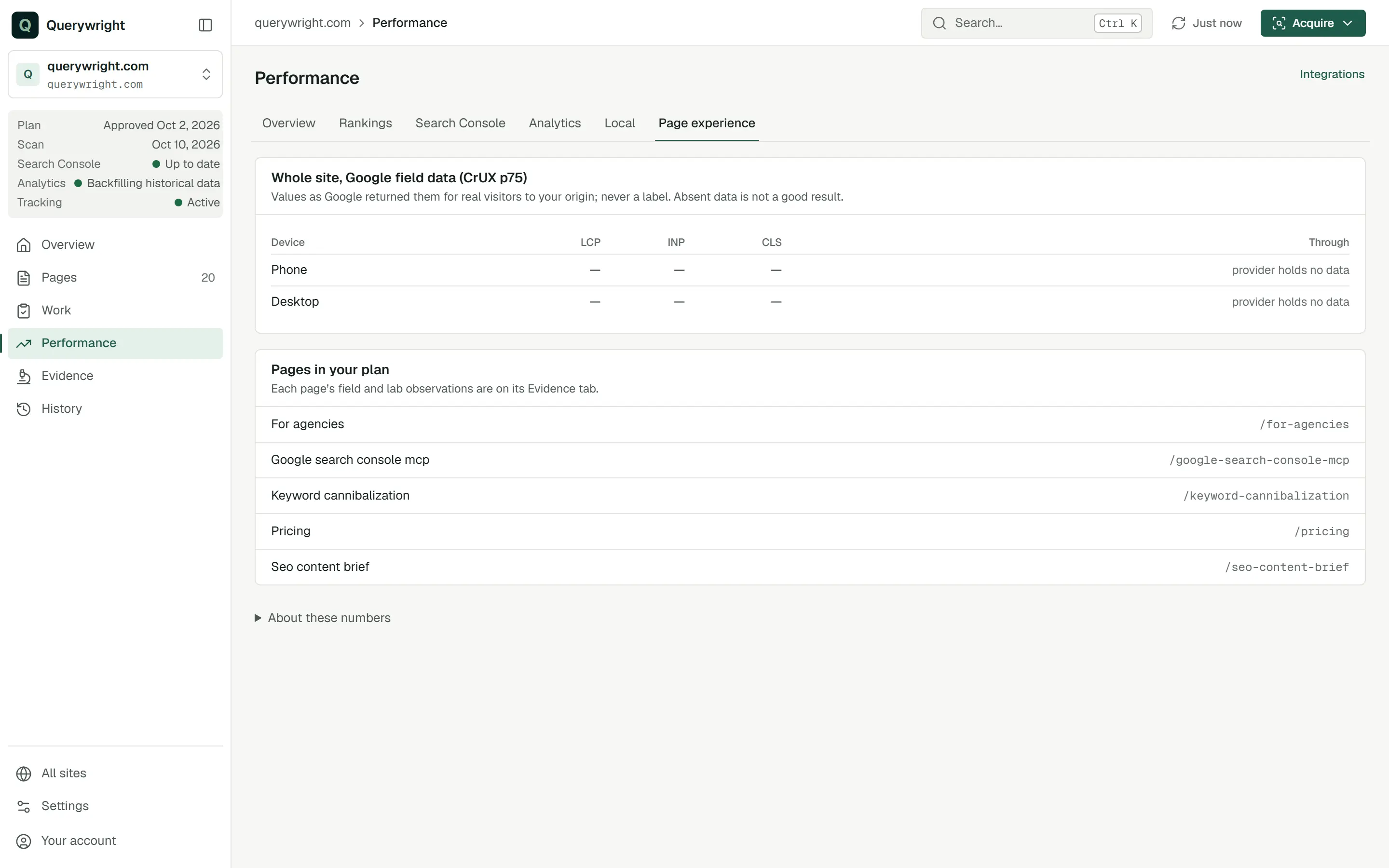
When Google holds no field data, usually because too few Chrome users visited, the App lists it as “Google holds no field data for” that scope and device, and adds that this is not a good result; it is no data.
What it does not claim
Where it shows in the App
- Performance › Page experience shows Google’s field data for your whole site, on phone and desktop, with the date it runs through, and lists the pages in your plan.
- Each page’s Evidence tab has a Page experience panel with that page’s field data, its whole-site field data and any lab runs.
How fast is /services/plumbing for real visitors on phones and on desktop? Read Google’s field data for it, and tell me first if that uses a page experience read.What you decide
Does it use allowance?
Yes, Page experience reads: 60 in each period, and your AI asks before using one.
- One field data read covers the page and your whole site, on phone and desktop, for one read.
- Each lab run uses one read.
- The same reading under 24 hours old is reused and uses nothing, and a whole-site reading serves every page of the site. A fresh field reading cannot be requested within 24 hours of the last one, because Google updates it daily; a fresh lab run cannot be requested within an hour.
- If Google fails to answer, the read is returned.
See allowances.
Last updated