Research
Keyword research
Keyword research widens the list of searches worth considering. The ideas come from Google Ads data and your AI; which ones matter is still your decision.
Keyword research starts from a topic, a service or a few seed phrases and returns related searches with their search demand. Use it when you do not yet know which searches to consider. When you already know the exact searches, measure those directly instead.
What Querywright records
| Field | Meaning |
|---|---|
| Seeds | The phrases you or your AI started from. |
| Location and language | The market the ideas were measured in. |
| Searches | Each related search, marked as one you supplied or one Google Ads suggested. |
| Search demand | Each search’s measurement and its state: a monthly figure, a measured zero, no data, or not measured. |
| Date | When each search was measured. A search measured earlier and reused keeps its original date. |
Two ways to run it
- Through your AI. Ask for keyword ideas around a topic in a named market. Your AI can draw on what your site already says and its own knowledge to suggest phrases, ask Google Ads for related ideas, or measure a broad list of phrases at once. Before it measures, it checks each idea against your site’s history by exact wording: searches a page already targets, searches in a suggested plan, and searches you said you are not pursuing. A phrase that is new to your site has no history there; that does not make it valuable. Your AI then tells you which phrases it wants to measure, in which market, and asks first.
- From the App. Press Acquire and choose Keyword research. The screen explains: “Measure search demand for a service, problem or local search. Each run states the allowance it uses before anything is requested.” Choose a “Research mode”, add your seeds, pick the “Database” (the keyword market) and “Language”, choose how many “Results” to return (100, 250 or 500) and press Research keywords.
The App offers three research modes:
| Mode | What it does |
|---|---|
| Explore | Discovers a broad set of related keywords around one or more topics. Up to five seeds, treated as one combined topic. |
| Focus | Finds phrases closely related to one specific keyword or service. Exactly one seed. |
| Local | Measures Google Ads search volume for service phrases you select, in a specific geography. You choose up to 20 service phrases and up to three place names; Querywright does not invent place names from your market. |
Give me keyword ideas around ‘water heater repair’ for Maryland and show only the ones with measured demand.Where it shows in the App
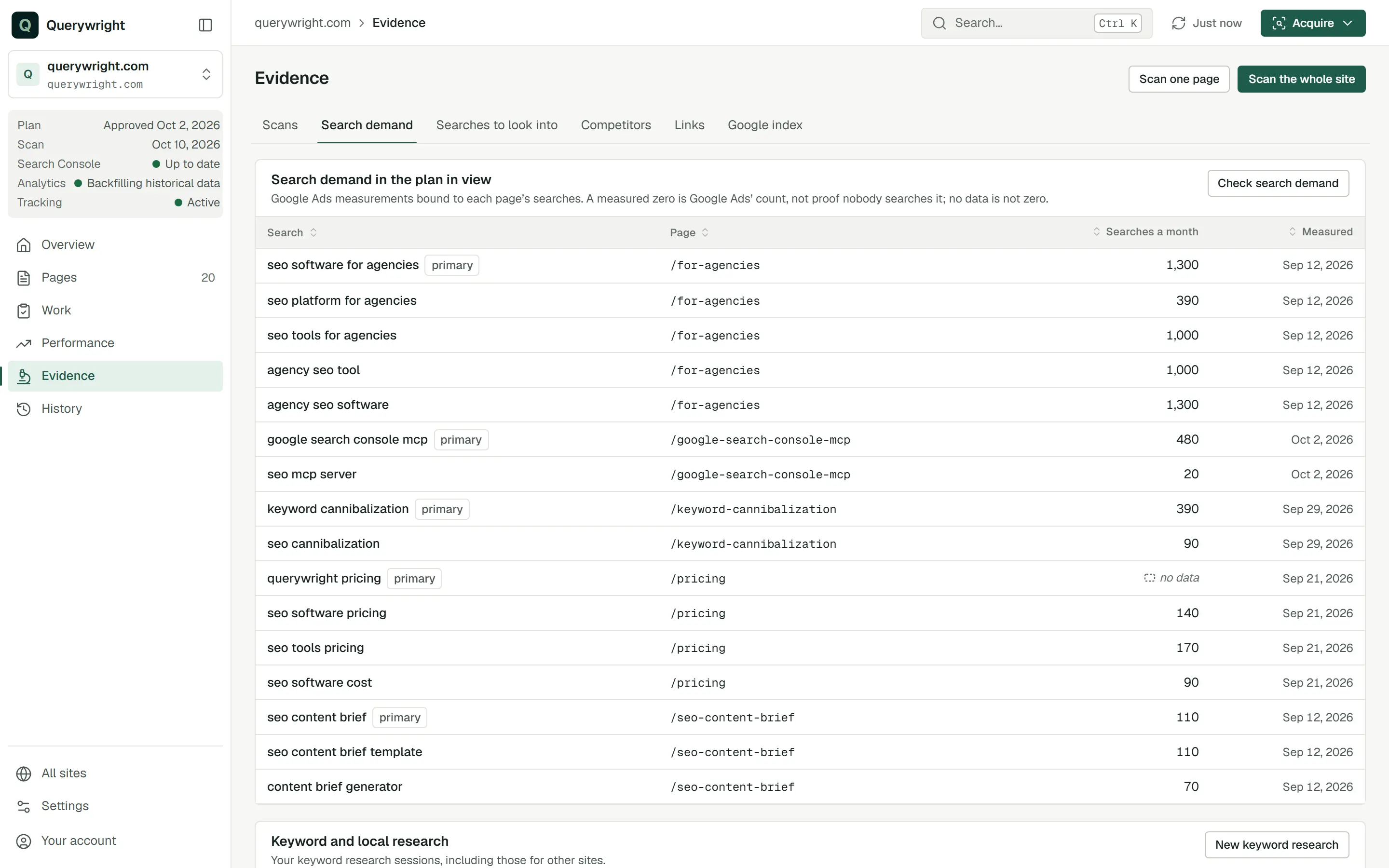
Runs you start from the App are listed on the Keyword research screen and under “Keyword and local research” on Evidence › Search demand, including runs for your other sites. Searches your AI measures for a site and no plan names yet appear in Evidence › Searches to look into under “Measured, with no place in a plan”. From there, a search becomes part of your work only when your AI puts it in a suggested plan and you approve it.
Does it use allowance?
- Keyword exploration requests (100 per billing period): each request to Google Ads for related ideas.
- Keyword measurements (100,000 per period): each newly measured search when your AI measures a broad list. A search Querywright already holds a current measurement for is reused without using allowance.
The App’s Keyword research screen states the allowance a run uses before anything is requested, and your AI asks before it starts. The counts are in Settings → Usage; see allowances.
Last updated