How Querywright works: your AI runs the SEO, and you decide what ships.
Querywright is the SEO operating layer for Claude and ChatGPT. Your AI does the reasoning and the writing. Querywright keeps the evidence, the plan, the work and the results, so the AI can pick up where it left off. You make the decisions that matter, and the App shows you all of it.
Three parts, three jobs.
- Your AI. Claude or ChatGPT reads the evidence, suggests a plan, writes the copy and explains its reasoning. Its reasoning is labeled as its own.
- Querywright. Scans your site, measures search demand, observes Google’s results, keeps every record with its date, checks the copy you accept, and records what happens after you publish.
- You. Approve the plan, accept the exact copy, publish it, and decide what to revisit. Querywright never makes those decisions for you.
The loop your AI works through.
01 Understand
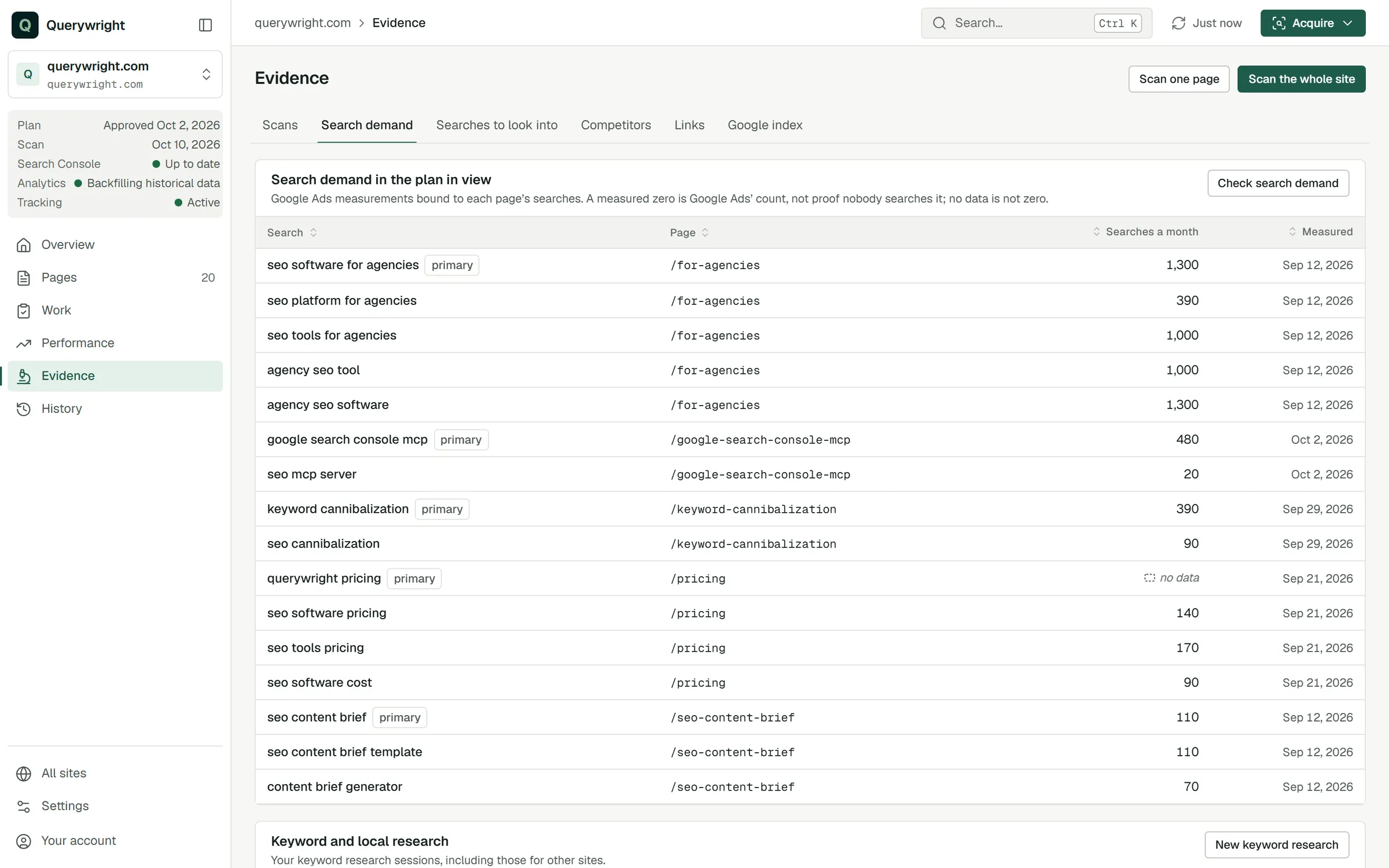
Your AI asks Querywright to scan the site and measure search demand in the market and language you choose. It can read what Google shows for the searches that matter, which competitor pages appear, and who links to you. Everything is kept as dated evidence in the App, under Evidence.
02 Decide
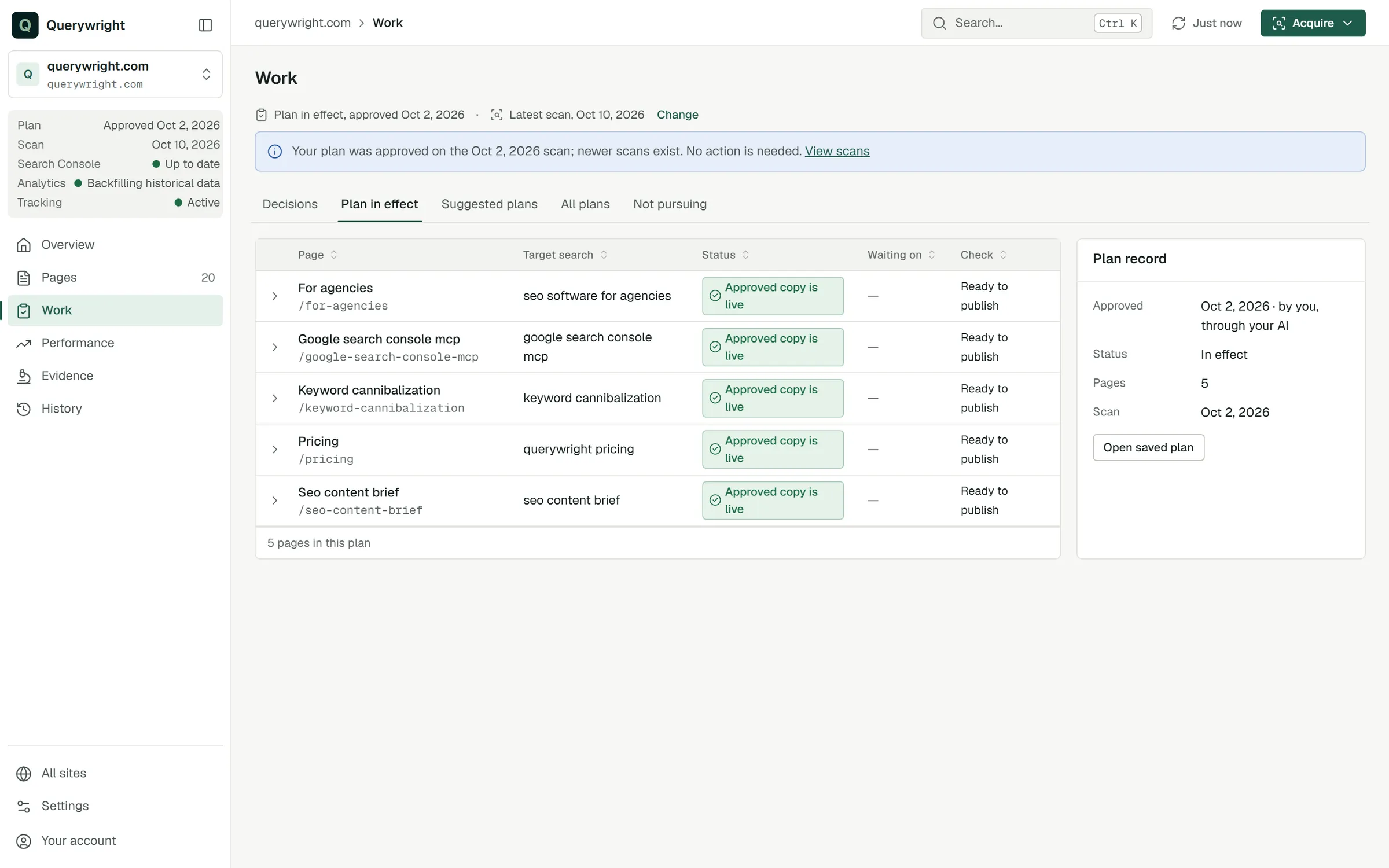
From that evidence, your AI suggests which page should own each search, including new pages, and shows you the numbers and the reasoning. You approve the plan, ask for changes, or say no. Nothing becomes your plan until you say so.
03 Create
Querywright builds a writing brief from the approved plan and the evidence. Your AI writes the page from it. You edit, ask for revisions, or accept the exact version you are willing to publish. Approving the plan is not accepting the copy.
04 Check
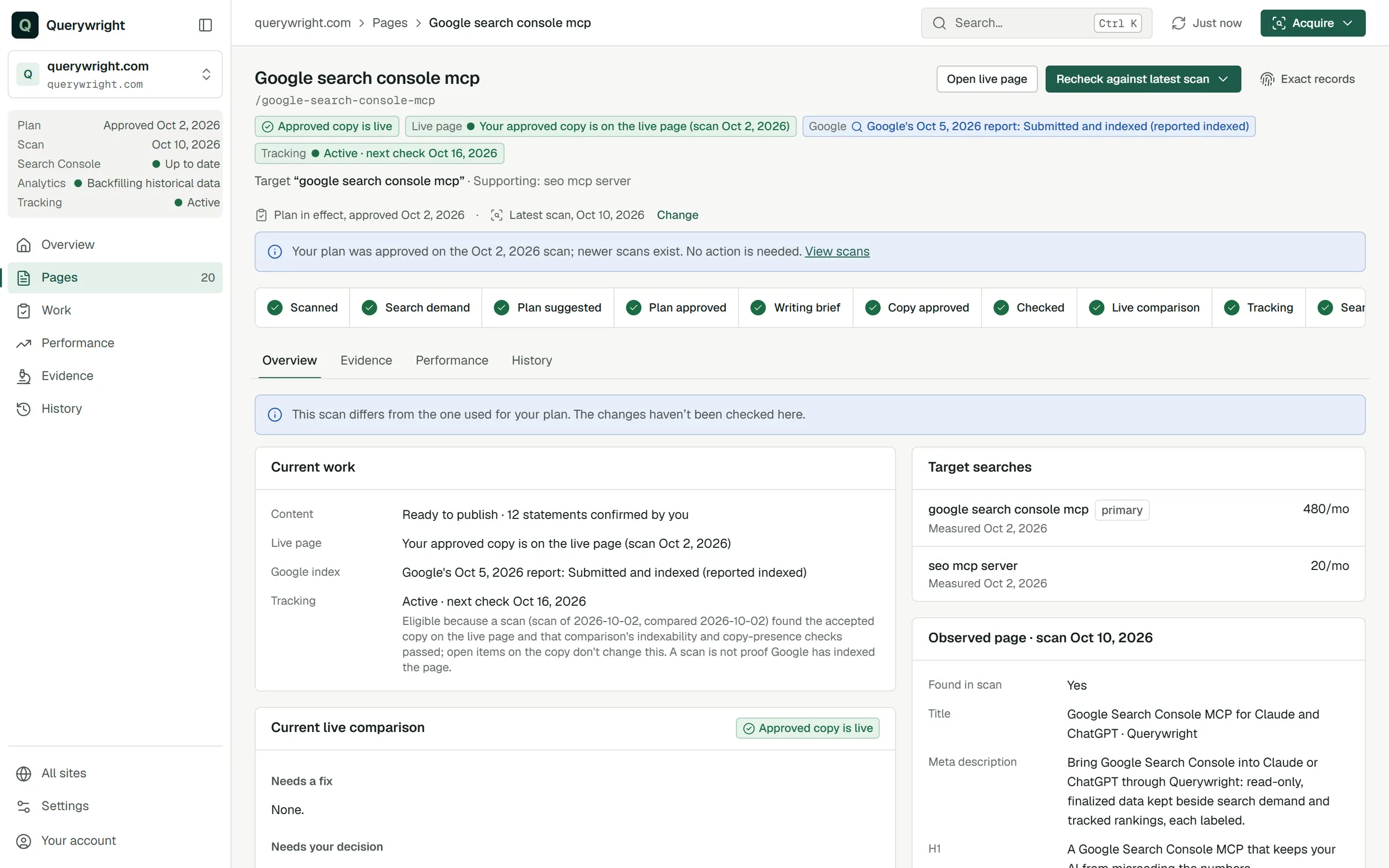
Before you publish, Querywright checks the accepted copy against the plan and the evidence. Anything it cannot settle is named for your judgment. After you publish, a fresh scan shows whether the approved copy is on the live page.
05 Observe
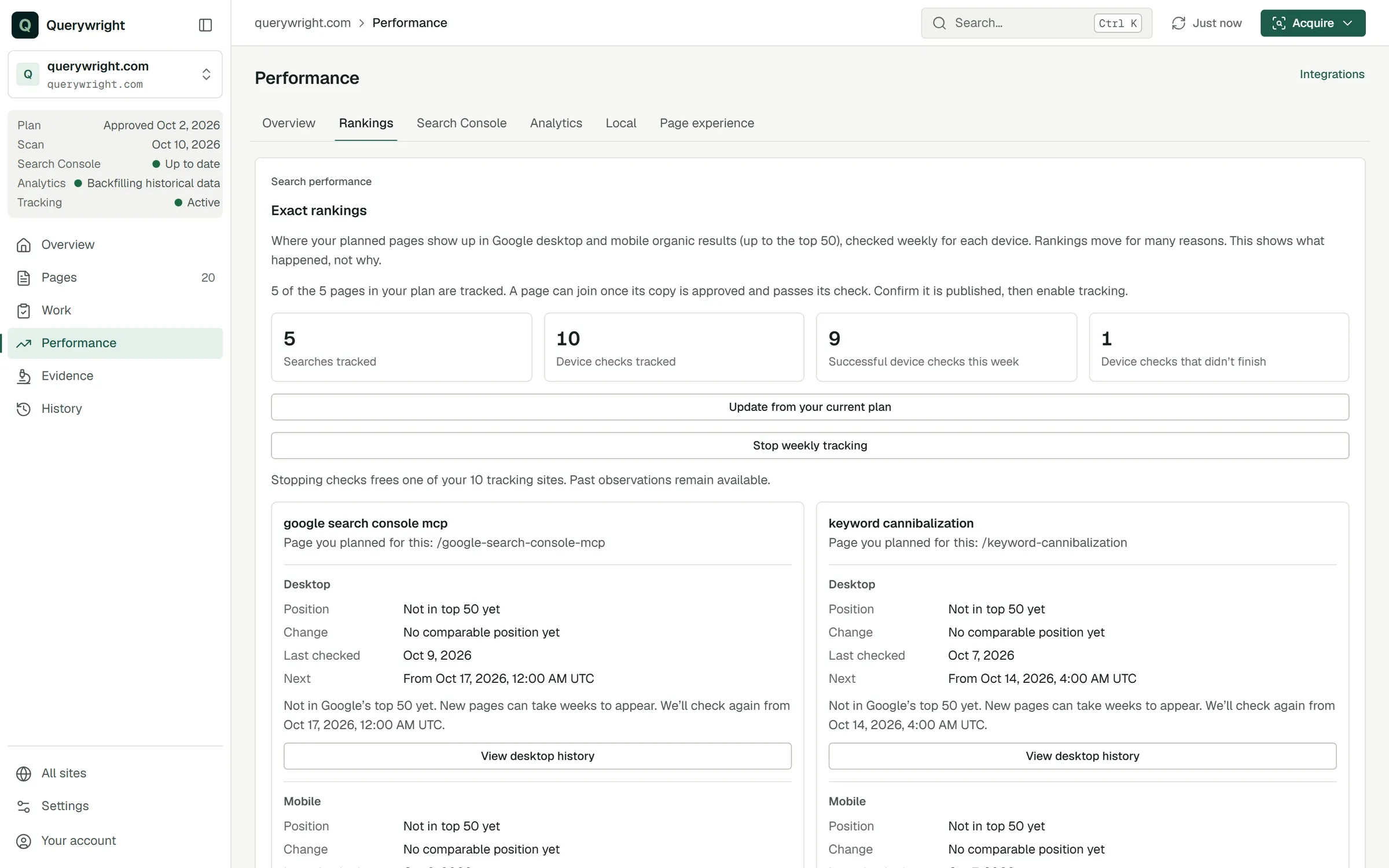
Querywright records weekly rankings on Google desktop and mobile, top 50, for the searches you approved, along with Search Console, Google’s index reports, Google Analytics, local pack observations and page experience. Each is a dated observation, never a claim about cause.
06 Reconsider
When the evidence changes, a statement goes out of date, or another of your pages starts outranking the one you planned, your AI brings it back to you. You decide again.
What your AI asks before it does.
Some work uses your plan’s included allowances: measuring search demand, keyword research, fresh Google results, link snapshots, rendered page reads, page-experience reads, rank tracking, and researching a new site for the first time in a billing period. Your AI tells you when work will use an allowance and asks when your request has not already authorized it. Reading saved evidence uses nothing.
What stays, between conversations.
Every scan, measurement, plan, brief, accepted copy, check and result is kept. Start a new conversation, name the site, and your AI picks up from the record: what is done, what is waiting on you, and what changed since last time.
Connect it in three steps.
- Add Querywright to Claude or ChatGPT as a connector.
- Sign in to Querywright and approve the connection.
- Ask your AI to research your site.
The connection guides walk through each AI.
Start with Claude or ChatGPT.
Querywright is built for freelancers and small agencies already doing SEO work with Claude or ChatGPT. One subscription covers the whole loop, with the search data included. See pricing